Send invoices to your client portal, paid through your own link
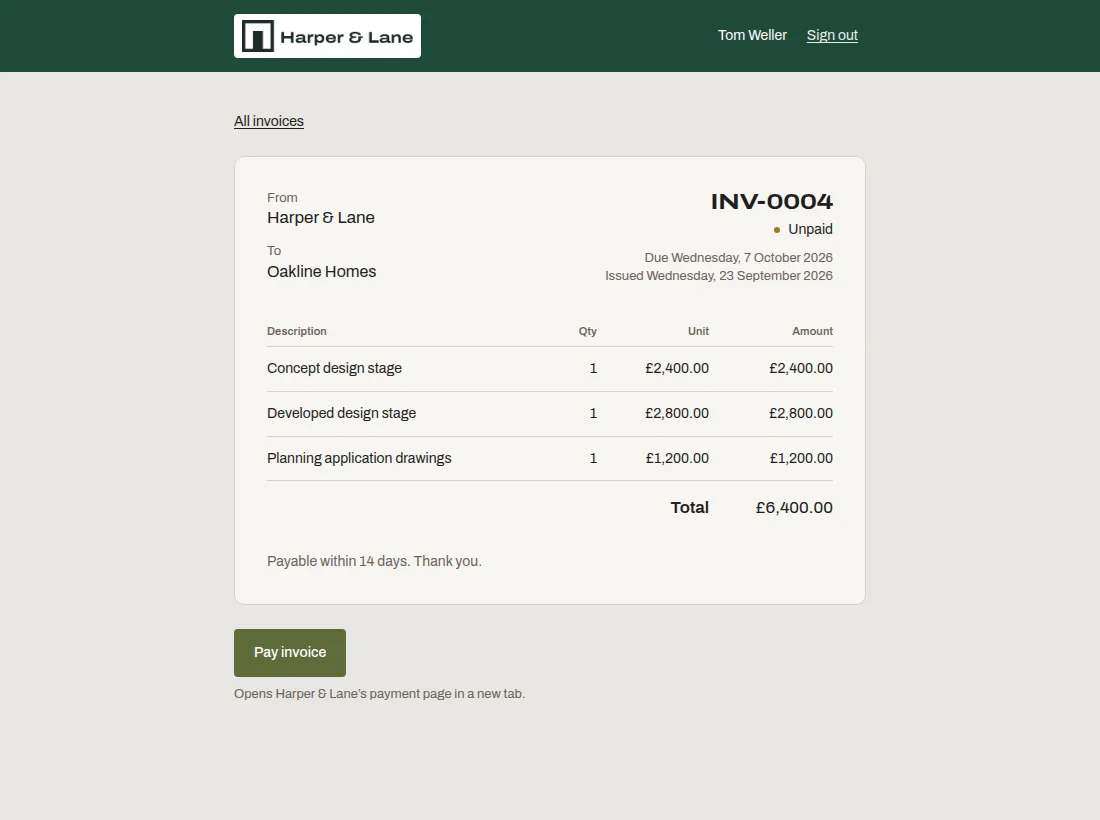
Denby invoices are deliberately simple: add line items, a currency and a due date, and the invoice appears in the client's portal with a Pay invoice button. The button opens your own Stripe, PayPal or Wise payment link, so Denby never handles your clients' money.
What you can do with it
Line items that add up for you
Quantities can be hours or days; Denby works out the totals. Numbers run in order per firm, like INV-0001.
Your payment link, your money
Paste the link from your payment provider. The client pays you directly; you mark the invoice paid when it lands.
Next to the work it bills for
The client sees the invoice on the same page as the files and approvals it relates to, so there's no question what it's for.
A clean record
Sent invoices can't be quietly edited. Void one and send a new one, and both stay on file.
Who this is for
- Client portal for consultants
Engagement fees billed where the client already looks.
- Client portal for photographers
Balance due invoiced alongside the gallery.
- Client portal for designers
Deposits and final payments tied to each project.
Questions people ask
Does Denby process card payments?
No, and that's deliberate. You paste your own payment link from Stripe, PayPal, Wise or your bank, and the client pays you directly. Denby never touches the money, which keeps your payment terms, fees and payout schedule exactly as they are now.
Which currencies can I invoice in?
USD, GBP, EUR, CAD, AUD, NZD, CHF, SEK, NOK, DKK, SGD and ZAR. Each invoice has one currency, set while it's a draft; totals are formatted for that currency on the invoice and in the client's email.
Is Denby a replacement for my accounting software?
No. Denby invoices are for showing and collecting a bill where the client already is. Keep your accounting software for bookkeeping, tax and reconciliation, and use Denby for the conversation with the client around the invoice.