Client portal software for consultants
Denby is a client portal for independent consultants and small consultancies. Each engagement gets one page where the client signs off the scope, sends the data you asked for, sees your deliverables and pays invoices, so you spend engagement hours on the work instead of on inbox archaeology and follow-up emails.
What consultants use Denby for
Engagement letter and scope
Send the engagement letter as an approval. The client reads it in their portal and approves with their typed name; the certificate goes in your records.
The data request
Ask for org charts, last year's accounts, process documents and system access in one list with a due date. Denby reminds the client's team so you don't have to be the one nagging your sponsor.
Interviews and working sessions
Share agendas before each session and notes after it in the engagement thread, so the client's stakeholders see the same record.
Deliverables and change requests
Deliver the final report as a versioned file. When the scope changes, put the change request up for approval before you start.
A request consultants send in their first week
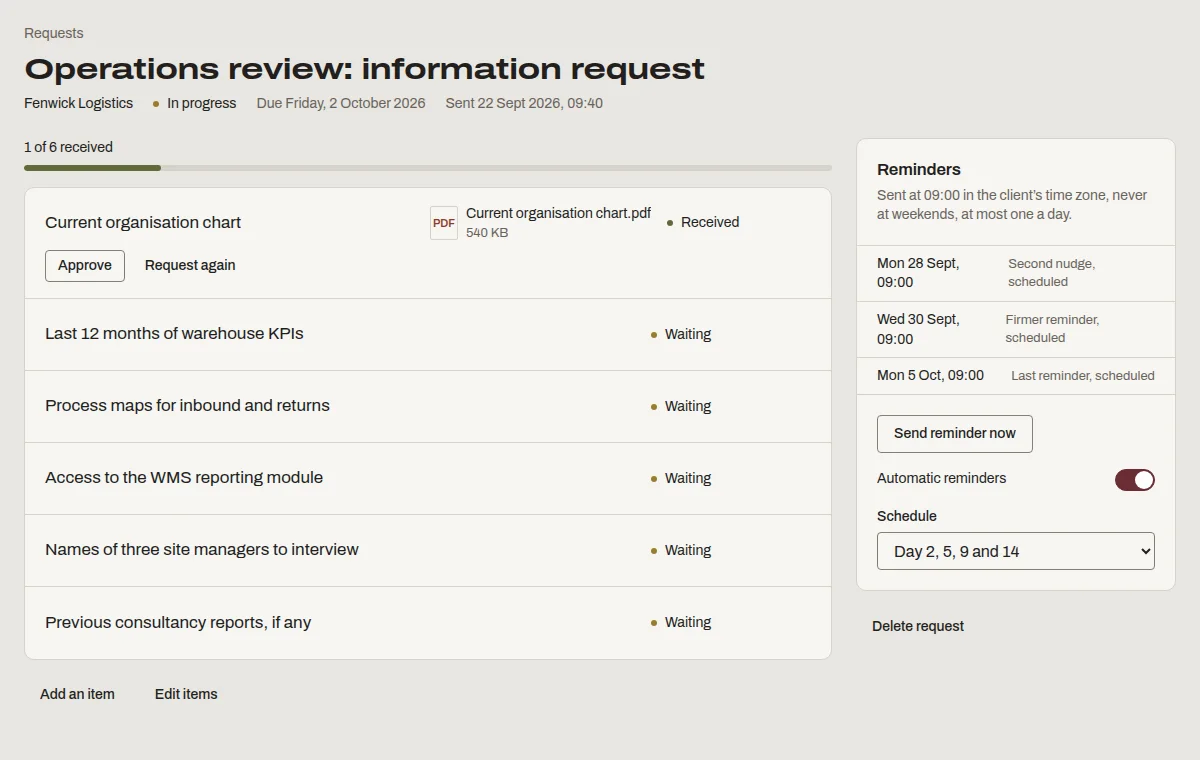
This is “Operations review: information request”, one of the templates Denby suggests. Send it as it is, or change the items to match how you work.
- Current organisation chart
- Last 12 months of warehouse KPIs
- Process maps for inbound and returns
- Access to the WMS reporting module
- Names of three site managers to interview
- Previous consultancy reports, if any
What consultants ask before switching
- I only have a handful of clients.
- The Solo plan is $19 a month for up to five active clients. One recovered week of chasing pays for years of it.
- Clients have their own document systems.
- Large clients often do, and you should use theirs when they insist. Denby is for everyone else, and for keeping your own record either way.
- I don't want to look like I'm over-engineering this.
- Clients see one page with your name on it and a short list of what you need. It reads as organised, not bureaucratic.
Questions people ask
Can several people at the client use the same portal?
Yes. Add as many contacts at the client as you need: the sponsor, the finance lead, the operations manager. Each signs in with their own email, and you can name one person as the approver on anything that needs sign-off.
Does it replace my proposal software?
No. Use your proposal tool to win the work. Once it's won, Denby holds the engagement: the signed scope, the data request, the deliverables and the invoices. You can attach the signed proposal PDF to the client's files for reference.
What happens to a client's portal when the engagement ends?
Archive the client. Their contacts can no longer open the portal, the client stops counting toward your plan's limit, and nothing is deleted. Restore them if you work together again, and everything is where you left it.