Client approvals with a record you can point to later
Send a scope, quote or design to a client for approval. They read it in their portal and either approve by typing their name or ask for changes with a note. Denby records who decided, when, from which device and exactly what they saw, and issues a PDF certificate.
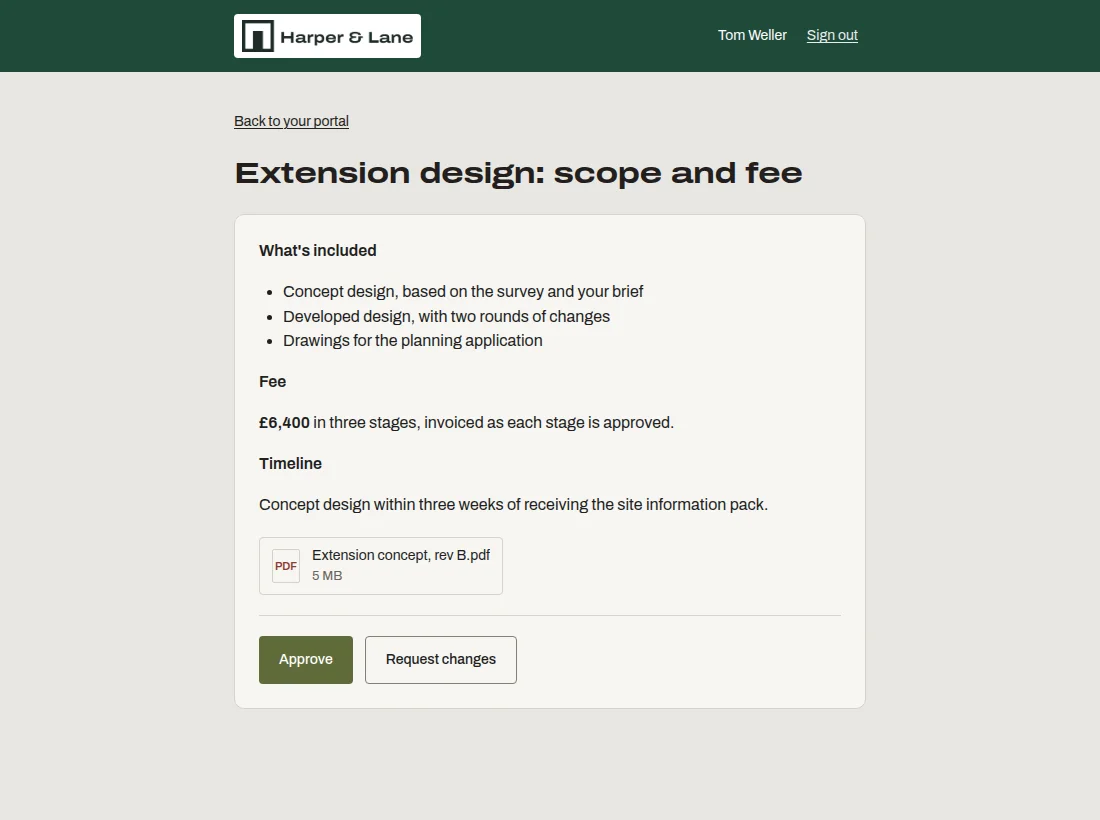
What you can do with it
Write it, or attach it
Put the scope in the approval itself, with headings and lists, or attach the PDF or design file you want signed off.
Name the approver, or let anyone decide
Choose the one person at the client who must approve, or let any of their contacts do it.
Approve or ask for changes
Approving needs a typed full name and a tick. Asking for changes needs a note, so you always know what to fix.
A certificate for the file
Each decision produces a PDF with the name typed, the time, the IP address, the device and a fingerprint of the exact content approved.
Who this is for
- Client portal for architects
Design stages signed off before the next one starts.
- Client portal for designers
Final artwork approved in writing before it goes to print.
- Client portal for consultants
Scopes and change requests agreed with a record.
Questions people ask
Is this a legally binding e-signature?
It's an audit-trail electronic signature: it records who approved, when and from which device, and a fingerprint of the content. It isn't identity-verified (KBA) signing. For many agreements that's enough; for regulated documents, check what your jurisdiction requires.
What if the document changes after it's approved?
The certificate includes a SHA-256 fingerprint of the exact content that was approved, including any attached file. If anything differs from that fingerprint, you can show it wasn't what the client agreed to. Approved items can't be edited.
Which plans include approvals?
Approvals are on the Studio plan and above, from $49 a month for the whole firm. On Solo, the Approvals page explains what's included and links to the plan comparison rather than disappearing.