Client portal software for agencies
Denby is a client portal for marketing, brand and web agencies. Each client gets one page where they send brand assets and logins, review drafts, approve scopes and pay the retainer invoice, instead of scattering all of it across Slack, email threads and shared drives your account managers have to chase.
What agencies use Denby for
Onboarding a new retainer
Send the kickoff request on day one: brand guidelines, logo files, analytics access, the list of stakeholders and last quarter's campaign reports. Account managers stop writing the same email for every new client.
Rounds of creative feedback
Post concepts to the client's thread with the files attached. Feedback lands under the round it's about, and nobody has to reconcile comments from four forwarded emails.
Scope sign-off before work starts
Put the statement of work up for approval. The client types their name to agree, and you have a dated certificate the next time a 'quick extra' turns into a week of work.
Monthly reporting and invoices
Drop the monthly report into the client's files and send the retainer invoice with your own payment link, on the page they already open.
A request agencies send in their first week
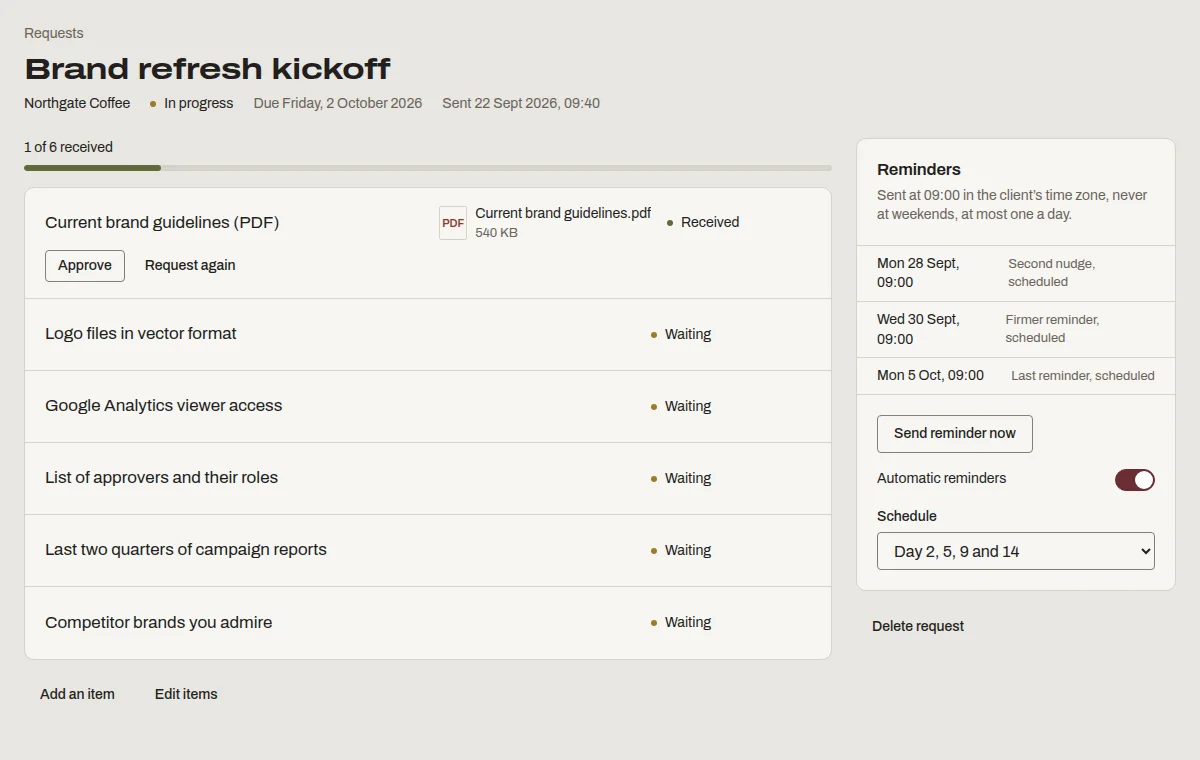
This is “Brand refresh kickoff”, one of the templates Denby suggests. Send it as it is, or change the items to match how you work.
- Current brand guidelines (PDF)
- Logo files in vector format
- Google Analytics viewer access
- List of approvers and their roles
- Last two quarters of campaign reports
- Competitor brands you admire
What agencies ask before switching
- Our clients already live in Slack.
- Keep Slack for quick chat. Denby is where the things you'll need to find in six months go: the signed scope, the final files, the invoice. It links from Slack in one line.
- We use a project management tool with a client view.
- Those views show your task board to the client. Denby shows the client only what they need to do and see, so they actually respond, without learning your tools.
- Per-seat pricing has burned us before.
- Denby charges per firm. Add every account manager, designer and freelancer; the price doesn't move.
Questions people ask
Can freelancers we work with use it?
Yes. Invite them to your firm as staff or viewers. Team members are unlimited on every plan, so adding a freelancer for a three-week project costs nothing, and you can remove them when the project ends without losing anything they uploaded.
Can each client see only their own work?
Yes. A client's contacts only ever see their own client page: their files, requests, messages, approvals and invoices. They can't see that other clients exist. That separation is enforced in the database itself, not just hidden in the interface.
Can we brand the portal as the agency?
Yes. Your logo, colour and favicon are on every plan. From Studio you can serve the portal on your own domain, like clients.youragency.com, and on the Firm plan Denby's name disappears from client emails entirely.