Your clients will actually log in.
Denby gives every client one page for files, messages and approvals. No passwords to forget, no documents to chase.
Why firms move to a client portal
You send the document list twice.
Then a third time. Then you call. The work can't start until the files arrive, and the chasing is the job nobody billed for.
The file is in an email somewhere.
Three versions of the contract, two inboxes, one person on annual leave. Nobody is certain which one was signed.
You look smaller than you are.
A Drive link and a Gmail thread is what a hobbyist sends. Your work is better than your paperwork suggests.
Ask once. Denby does the chasing.
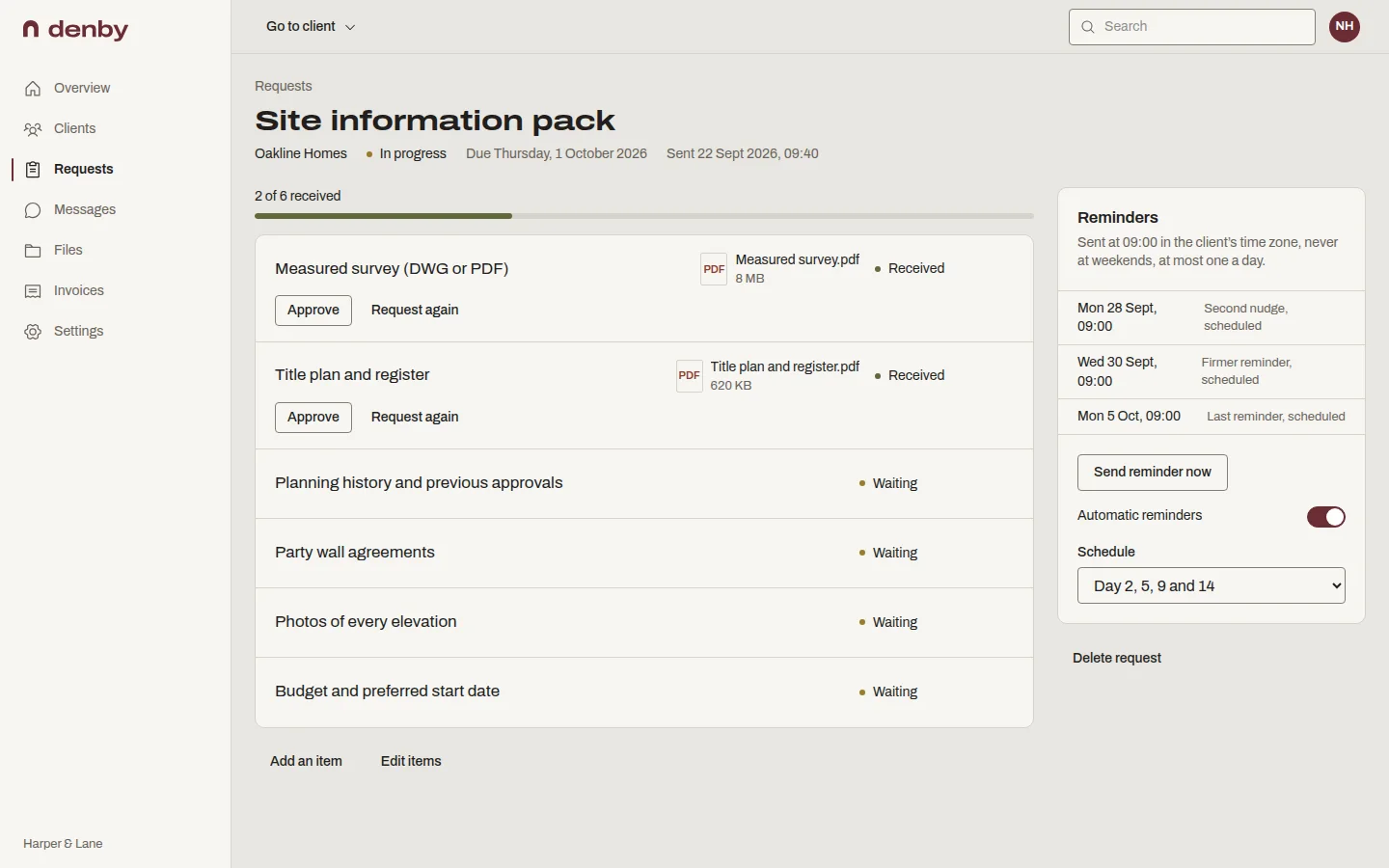
Build a list of what you need. Your client gets one page with a tick box for each item. Denby sends the reminders on day 2, day 5 and day 9, with a last one on day 14, and stops the moment the last file lands.
You'll know exactly what's outstanding without opening your inbox.
Templates for your trade
Start from a list built for agencies, architects, bookkeepers and more.
Reminders that stop themselves
One email a day at most, at 9am their time, never at weekends.
Uploads on any phone
Clients photograph a receipt and it lands on the right item.
Review as it arrives
Accept a file or ask again, with a note that explains why.
How it works
-
Add the client
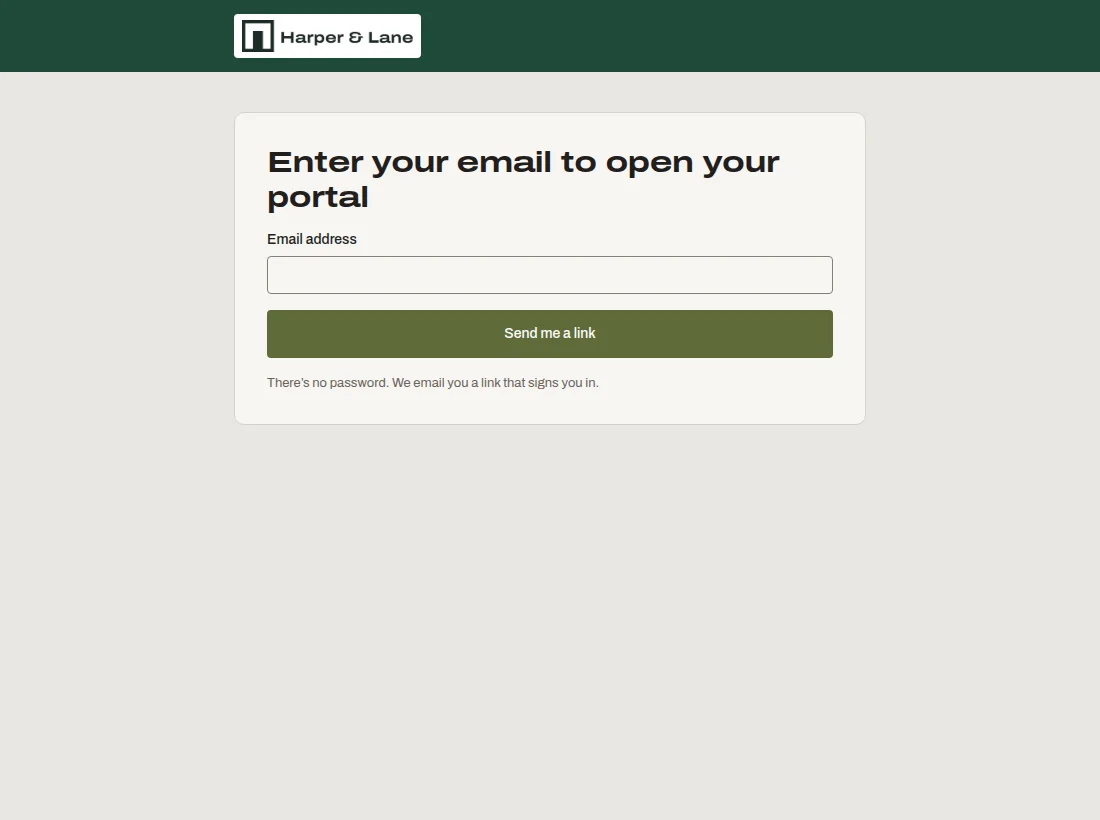
Type their name and email. They get a link to their own page; there is no password to set.
-
Ask for what you need
Start from a template for your kind of work, or write the list yourself. Add a due date.
-
Denby reminds them
Short emails on day 2, 5, 9 and 14, sent at 9am in their time zone, never at weekends.
-
Everything lands in one place
Files arrive against each item on the list. The reminders stop the moment the last one lands.
It's your portal, not ours.
Your logo, your colours, your domain. Clients see your firm at clients.yourfirm.com. Denby's name appears once, in the footer of the email, and nowhere else.
Priced per firm, not per person.
Most client portals charge for every team member. Add a designer and the bill goes up. Denby charges one flat rate and you add as many people as you like.
-
Solo
a month
- 5 active clients
- 10 GB storage
- Unlimited team members
- Your logo and colours
-
Studio
a month
- 25 active clients
- 100 GB storage
- Unlimited team members
- Your own domain
-
Firm
a month
- Unlimited active clients
- 500 GB storage
- Unlimited team members
- Your own domain
Questions people ask
What is a client portal?
A client portal is one secure web page per client where you share files, ask for documents, exchange messages, get approvals and send invoices. The client opens it from a link and sees only their own work, instead of hunting through email threads and shared folders.
The full guide to client portals covers who needs one and how to choose.
Do my clients need to create an account or remember a password?
No. Clients sign in by entering their email address and clicking a one-time link that works for 20 minutes. There is no password to set, forget or reset, which is the main reason clients actually open a Denby portal. Their session lasts 30 days on that device.
How do the automatic reminders work?
When you send a document request, Denby emails the client on day 2, 5, 9 and 14 until everything on the list has arrived, then stops. You can change the schedule per request. Reminders go out at 9am in the client's own time zone, never at weekends, and never more than one email a day, however many requests are open.
Can I use my own logo, colours and domain?
Yes. Every plan includes your logo and brand colour on the portal and in emails. From the Studio plan you can also use your own domain, such as clients.yourfirm.com, and clients see your favicon in their browser tab. Denby's name appears once, in the email footer.
How much does Denby cost?
Plans start at $19 a month for the whole firm, with unlimited team members on every plan. Studio is $49, Firm $99 and Agency $249. Annual billing gives you two months free. Every plan starts with a 14-day trial and no card. See pricing for the full comparison.
Is it secure enough for sensitive client documents?
Files are encrypted in transit and at rest, scanned for viruses before anyone can download them, and served through short-lived links. Every view, download and approval is logged with who, when and from where. We are not SOC 2 certified and say so on our security page.
What happens to my data if I stop paying?
Nothing is deleted. If your trial ends or you cancel, your account becomes read-only: you and your clients can still see and download everything, but you can't add new work. You can export every file with a full manifest at any time, from Settings.
How long does it take to set up?
About 20 minutes. Add your logo, pick the kind of work you do so Denby can suggest request templates, add your first client and send your first request. Most firms send their first real request within the first session, before the trial is an hour old.