Ask clients for documents once, and let Denby chase them
A document request is a checklist you send to a client: each item is something you need, like a bank statement or a signed brief. The client uploads against each item from their portal, and Denby sends reminders on day 2, 5, 9 and 14 until everything has arrived, then stops.
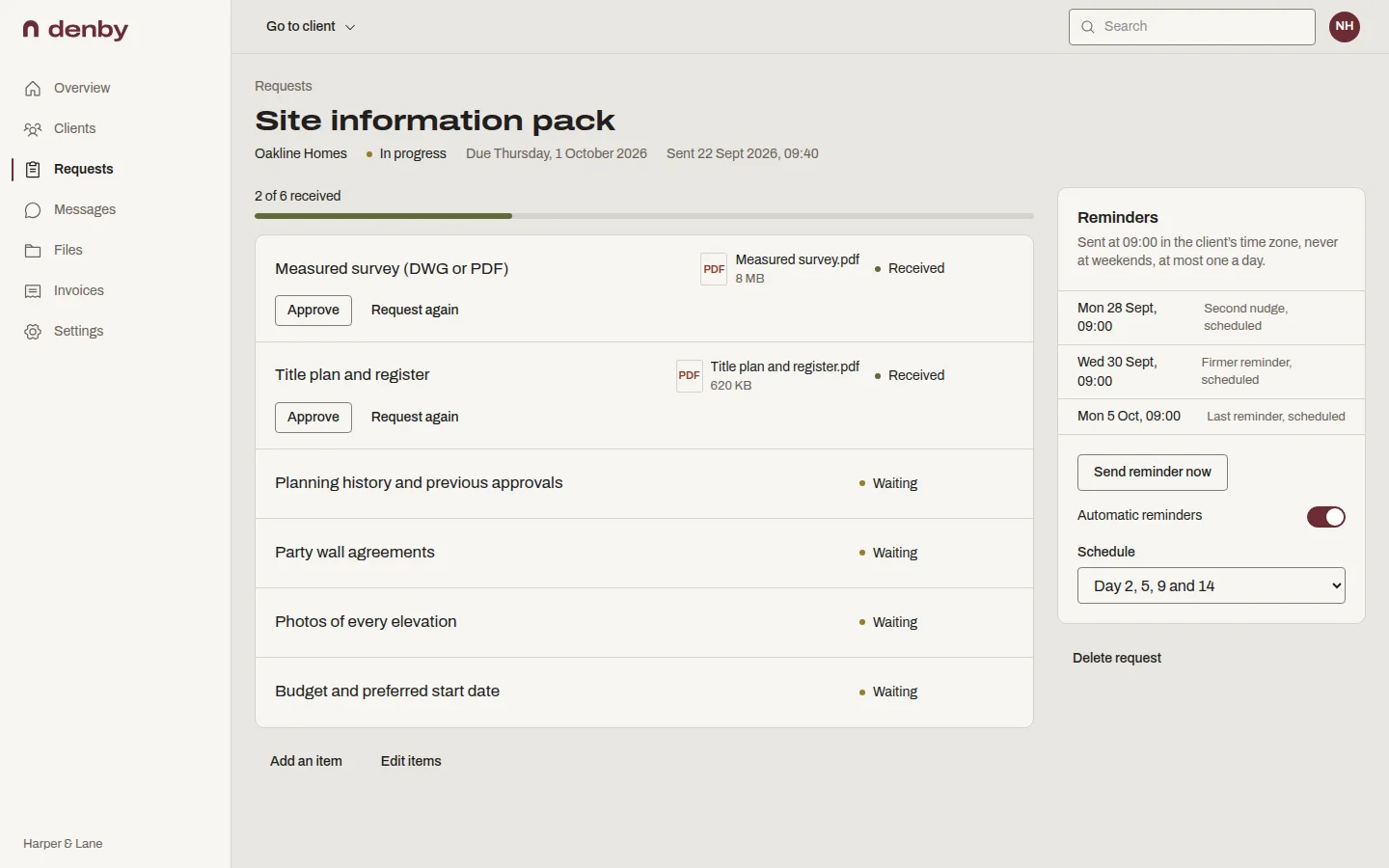
What you can do with it
Start from a template for your kind of work
Pick agency, consultancy, studio, practice or recruitment when you sign up and Denby suggests the lists firms like yours send most. Tick one box to save any request as your own template.
Reminders that behave politely
Emails go at 9am in the client's time zone, never at weekends, and never more than one a day however many requests are open. The tone gets firmer as the due date passes.
Uploads land on the right item
The client sees a tick box for each thing you asked for and uploads straight onto it, from a laptop or by photographing a paper form on their phone.
Review without starting an email thread
Accept a file, or ask for it again with a note saying what was wrong. The item reopens and the client gets one clear email about it.
See what's outstanding across every client
The overview lists which clients you're waiting on and which requests have gone quiet. Each request shows when its next reminder goes out.
Who this is for
- Client portal for bookkeepers
Monthly bank statements and receipts, collected on schedule.
- Client portal for immigration consultants
Passports, certificates and evidence, one checklist per application.
- Client portal for architects
Surveys, deeds and site photos before design work starts.
Questions people ask
Can I change when reminders are sent?
Yes. Every request starts with reminders on day 2, 5, 9 and 14 after sending, and you can change those days per request, up to 60 days out, or switch reminders off. Denby still keeps to 9am in the client's time zone, weekdays only, and one email a day.
What happens when the client uploads the last item?
The request is marked complete, every pending reminder is cancelled straight away, and you get a notification. If you later ask for one item again, that item reopens and reminders resume for it only, so the client is never chased for things they already sent.
Can the client send something I didn't ask for?
Yes. Clients can upload files to their portal outside any request, and they can message you from the same page if something on the list doesn't apply to them. Both stay on the client's page, so nothing arrives by email instead.
Do clients need an account to upload?
No. The button in the request email signs them in, and they stay signed in for 30 days on that device. Links in emails work once and for 20 minutes; after that the client types their email address and gets a fresh one. There is never a password to create.